
In the management interface, click on the System Records->Log Transfer->USB Transfer menu.
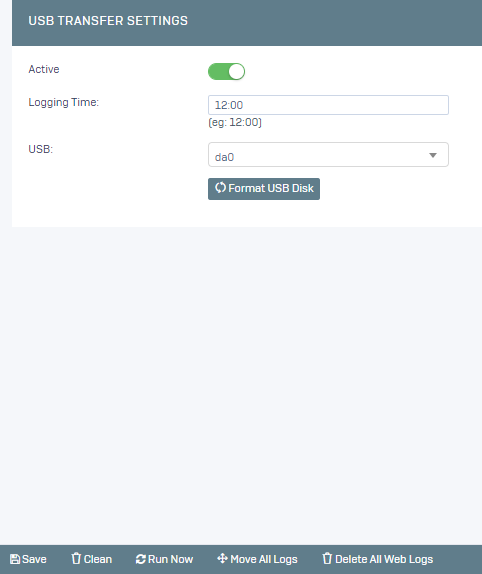
We activate the service,
Logging Time: The time when the records will be transferred,
USB: A usb plugged into the Poniva Firewall hardware (you can format your active usb by clicking Format USB Disk),
then we save it.
Your logs will be automatically transferred to your USB at the time you specify.