You can transfer the logs on Poniva to the Syslog server. To perform this operation, we first need to install a Syslog server.
We will use Kiwi Syslog Server as an example, you can download it from www.kiwisyslog.com link.
It is assumed that you have made the necessary configurations for Kiwi Syslog.
Click on the Device Settings->Device Management menu in the Poniva interface.
On the screen that opens, click on the SYSLOG SETTINGS field.
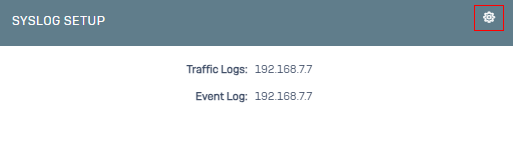
On the screen that opens, we see 2 tabs as Traffic Logs and Event Log.
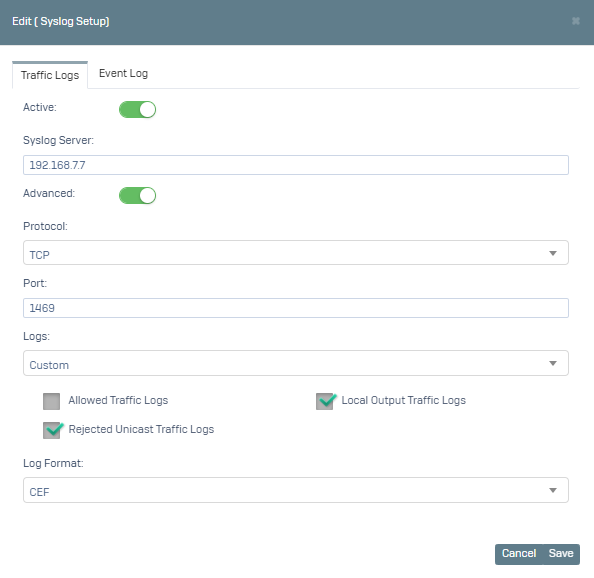
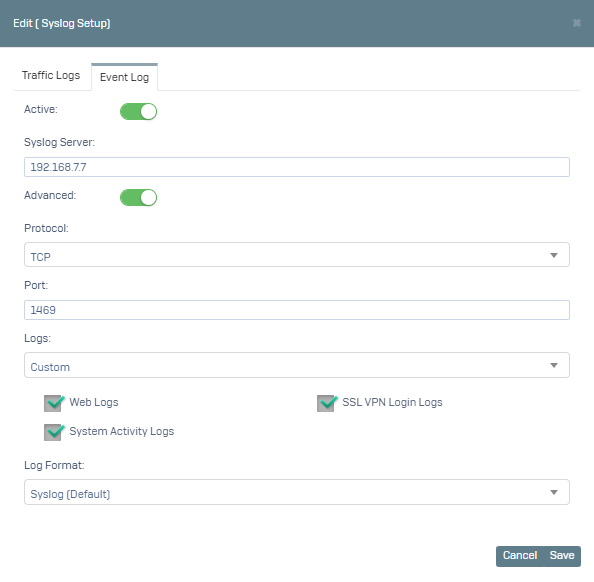
We activate the service.
We fill in the Syslog Server field. When you activate the Advanced option here, you can define Port and Protocol. (Default port: 519, protocol: udp)
In Traffic Logs; You can send Allowed Traffic, Local Exit Traffic and Rejected Unicast Traffic Logs.
In Event Log; You can send Web logs, SSL VPN login logs and system activity logs.
In the Logs field, we can say All or Custom (Only Allowed Traffic Logs or only Web Logs).
You can select the log format as Syslog(Default), CEF.
Example configuration;
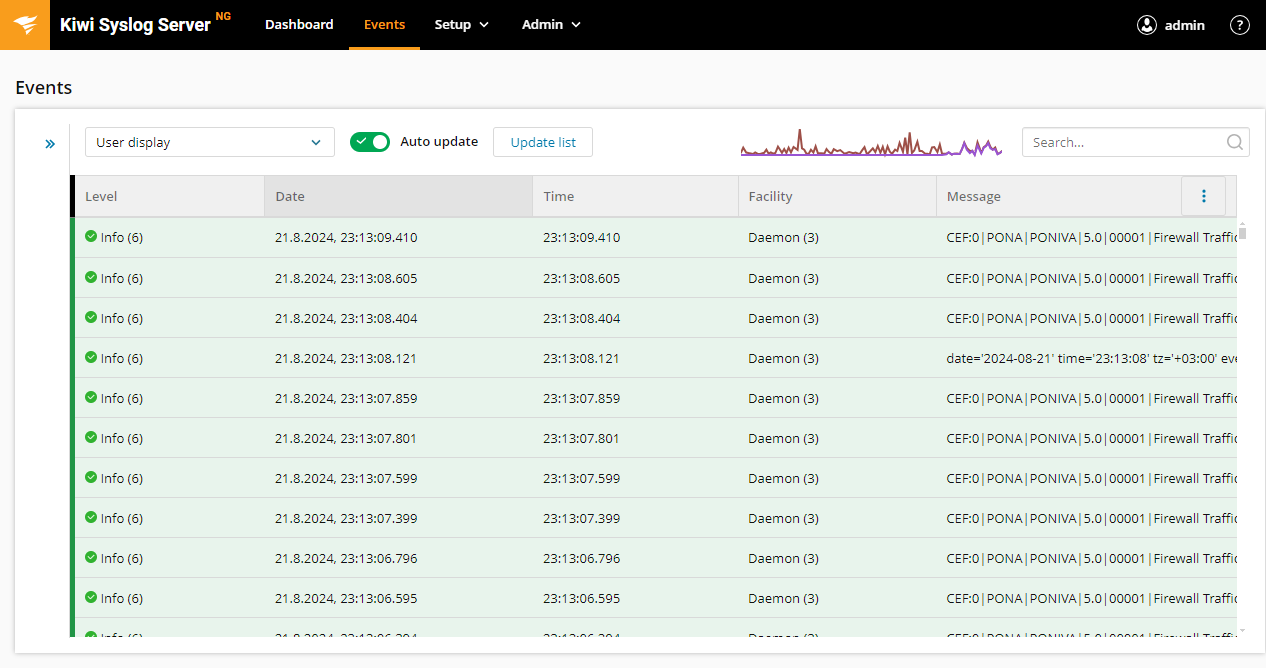
When we check our Kiwi Syslog Server, the output is as follows.