
In the Poniva Firewall interface, click VPN->SSL VPN->Settings menu.
Click on the System Settings option.
In the window that opens, go to the Connection tab, here the option Let users log out through this server is activated.
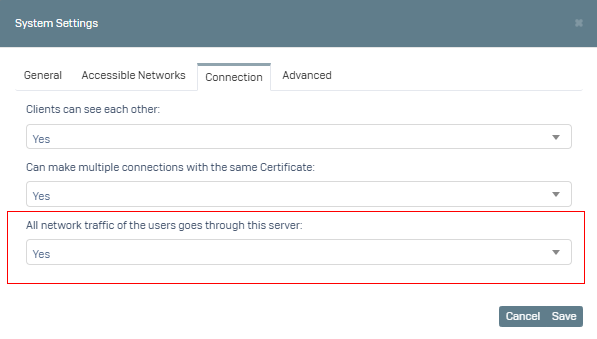
Click on the Save button.
Then click on Settings->Group Management menu.
We create a new group by clicking Add.
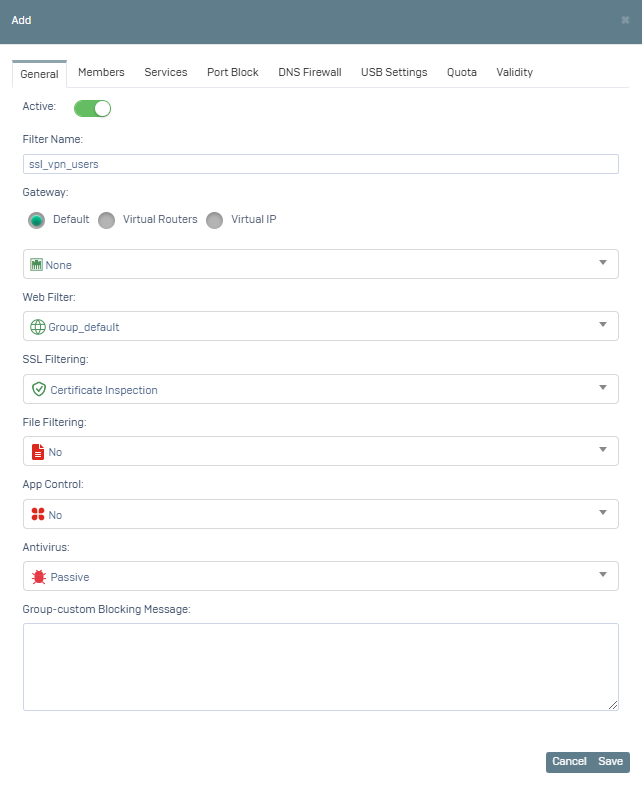
1- We specify the Filter Name on the screen that opens. We select the Gateway definition. We select Group_default (you can choose a different profile) as Web Filtering. You can configure other options according to yourself.
2- Switch to the Members tab, here we select the Filtering type IP. You can select your IP addresses defined in the Group Members field. If the address definition you want to add is not in the list, we add it by clicking the + button. We select the SSL VPN network.
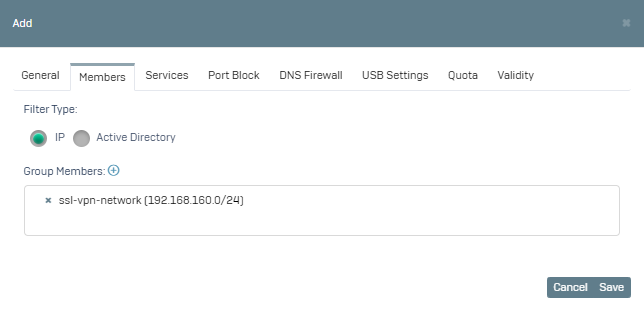
Click Save.
With this configuration, filtering rules are applied for your SSL VPN users.