
We will do our operations for the default group, you can edit it by adding a new group or for a different group.
On the interface screen, click on the Settings->Web Filtering menu.
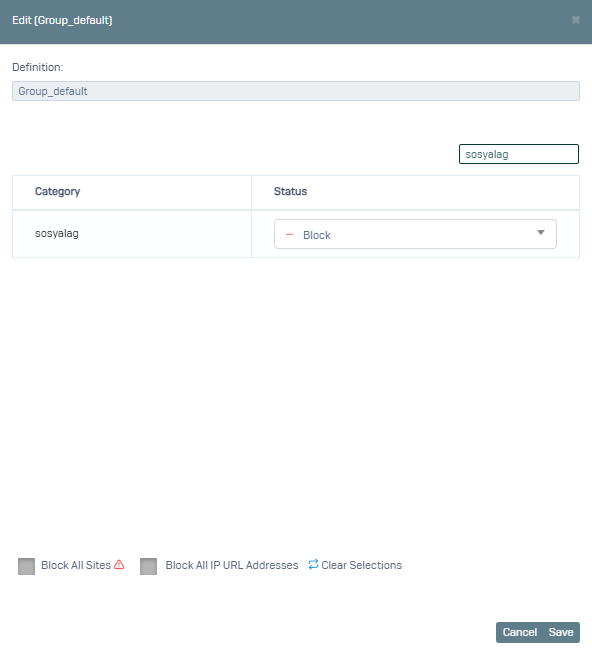
From the screen that opens, click on the Group_default definition that we previously defined for the default group.
Here we type socialag in the search field and select the relevant category as Banned as in the image.
After saying Save, we go to the Settings->Group Management menu.
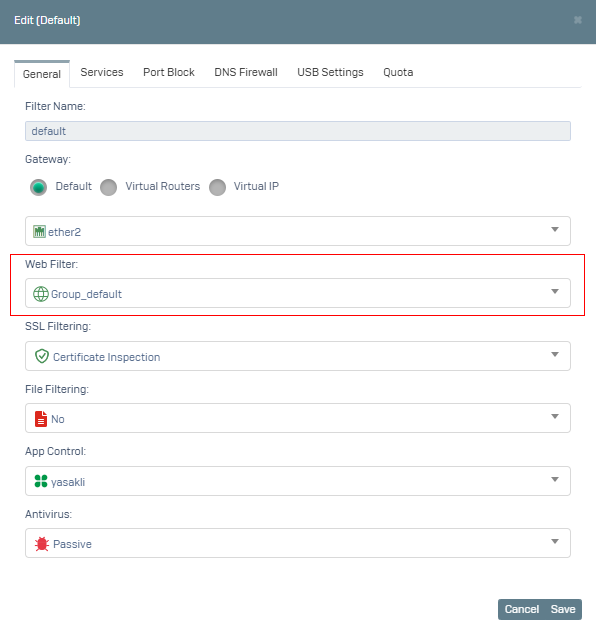
Click on the Default group and select Group_default as Web Filtering definition.
You can test it by clicked Save.