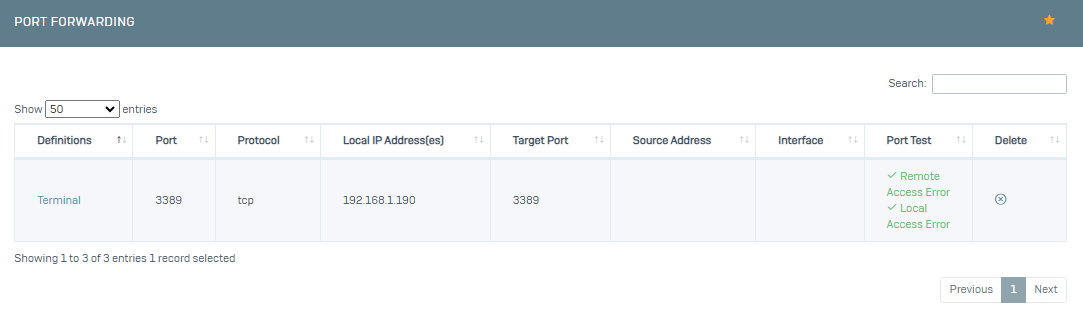
It is used to redirect any request from outside to another service of your server inside. For example Web Service, RDP Service.
To add a port forwarding, click on the Network->Port Forwarding menu.
Let's start configuring the settings of our new port forwarding by clicking Add.
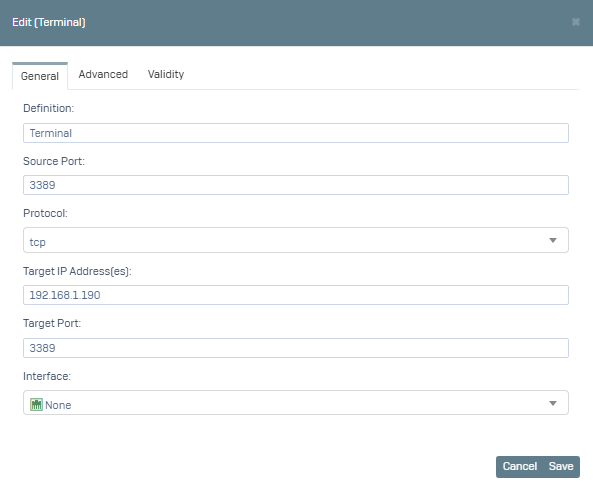
1- On the screen that opens, fill in the Description, Source Port, Protocol, Destination IP Addresses, Destination Port, Interface fields in the General tab.
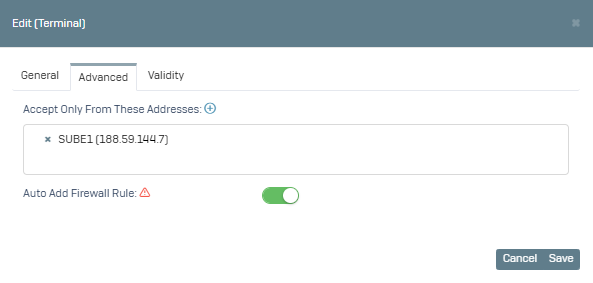
2- Switch to the Advanced tab, here you can define the relevant IP Addresses if you want to limit external access to your port routing with certain IP addresses. If the IP you specified is not in the list, click the + button and create a new definition, then you need to select the relevant definition. The Auto Add Firewall Rule option is active by default.
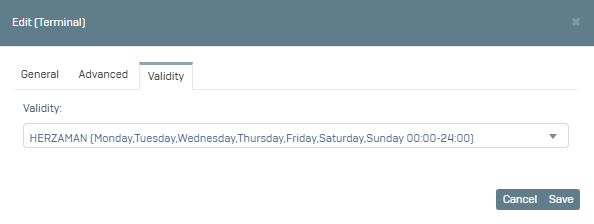
3- Switch to the Validity tab, here you can choose which days and hours your Port Forwarding rule will be active. The default ALWAYS option is active.
After click Save, you can check the on/off status of your related service by clicking the Port Test button.