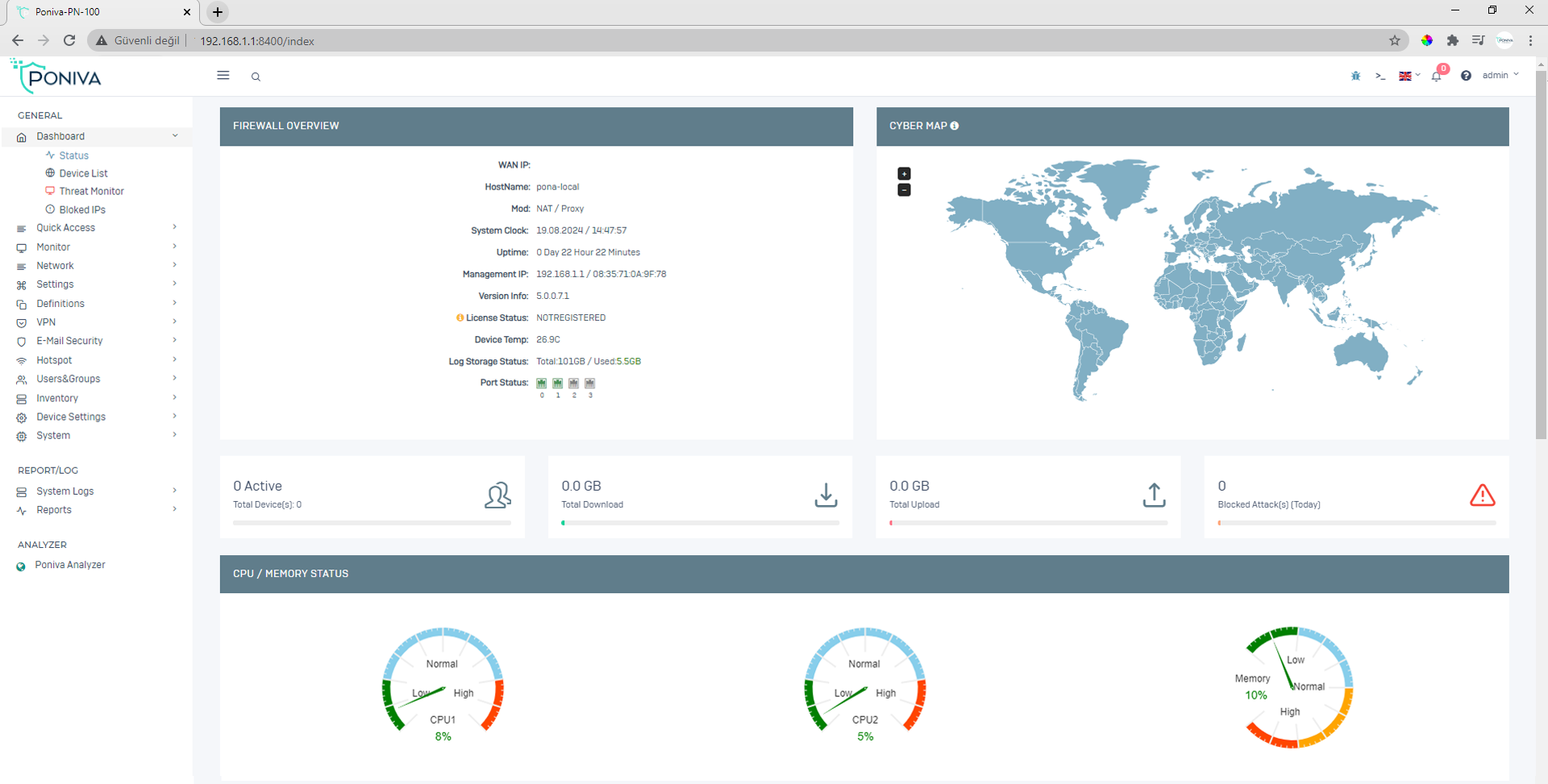
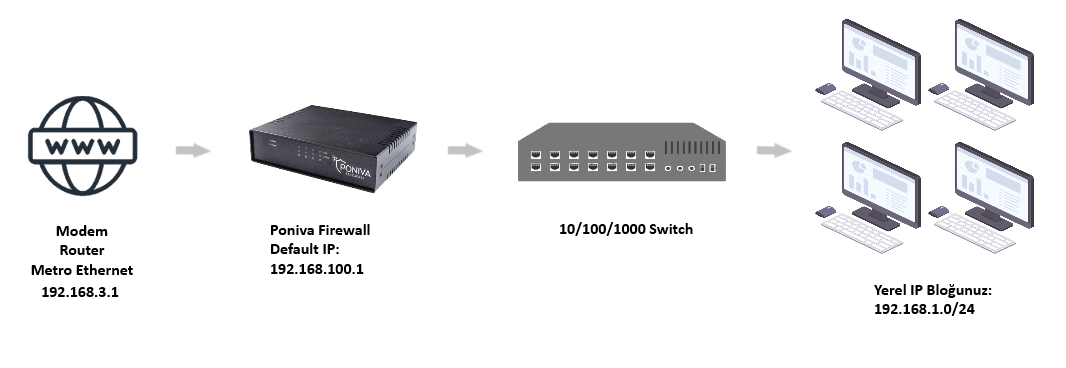
It will continue assuming your local network is 192.168.1.0/24 and the modem IP address is 192.168.3.1.
Click on Network -> Interface menu.
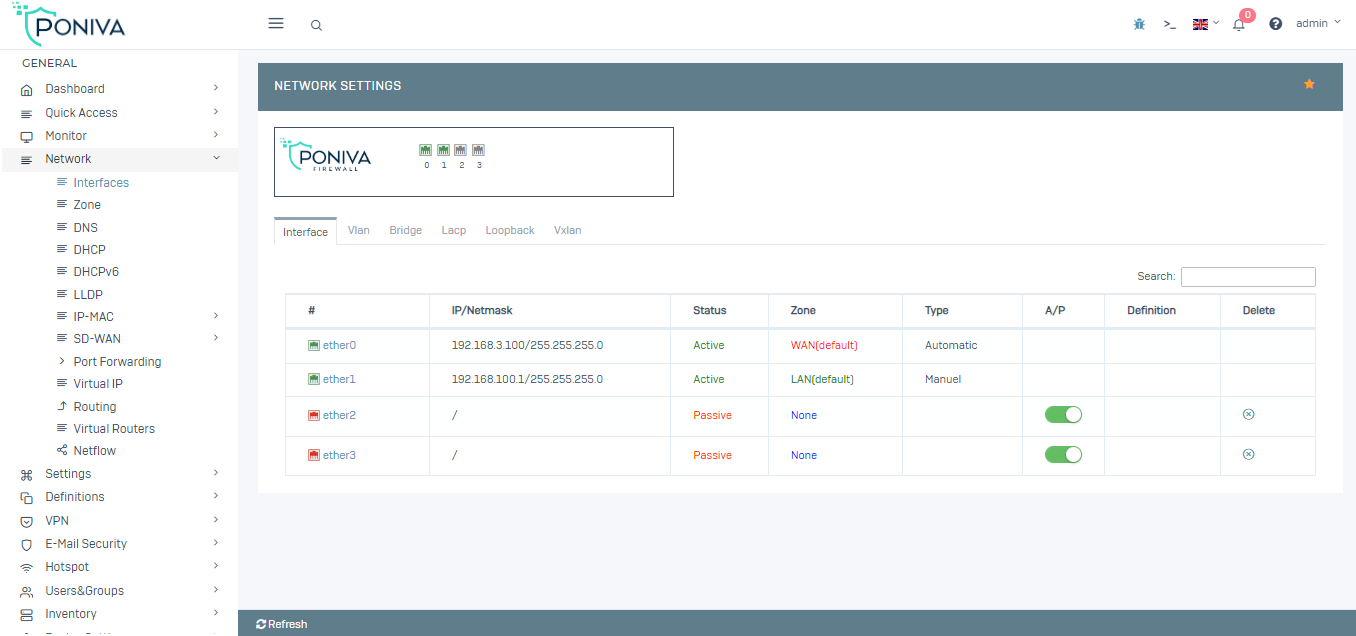
In the window that opens, we start configuring its settings by clicking on IGB0 (Default WAN interface).
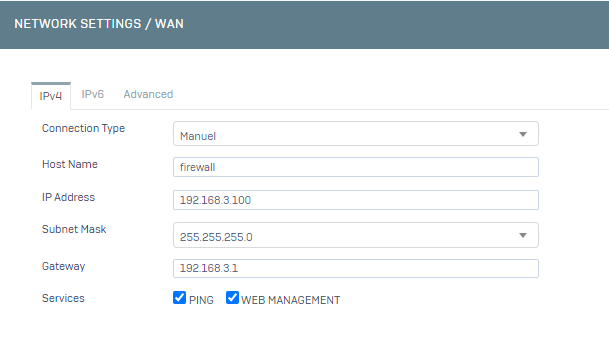
In the network section,
· For the connection type we can choose automatic, manual or PPPOE for bridge mode identification of our IP address. We continue by selecting manual,
· We enter 192.168.3.200 in the IP Address section (You can define an IP other than 192.168.3.1),
· Subnet mask, if there is no special case, we enter 255.255.255.0,
· The default gateway is the Modem/Router IP address, since we set our modem to 192.168.3.1, we enter the modem IP address here.
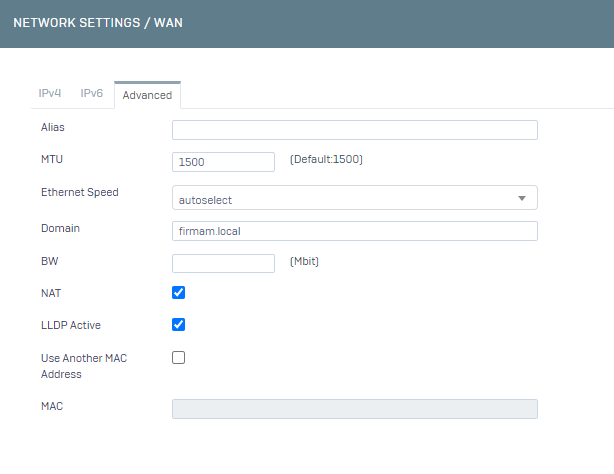
Clicking on the Advanced section;
· You can make a definition in the domain name section without using Turkish characters. (eg:firm.local)
· MTU remains at 1500. (For DSL lines, the MTU value should be 1492.),
· We exit this screen by clicking Save.
Our Network WAN settings are complete.
Now it's time to configure our local network, click on IGB1 (Default LAN interface) and start configuring its settings.
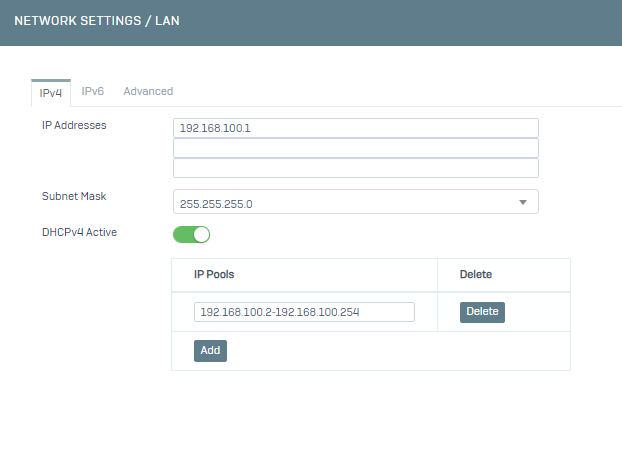
· Since the old IP address of our modem is 192.168.1.1, we change the place where it says 192.168.100.1 to 192.168.1.1,
· The subnet mask should remain as 255.255.255.0 if there is no special case,
You can activate the DHCP service, if another DHCP server will distribute your IP address or if you do not want to run this service, you can leave it passive,
· We exit this screen by clicking Save.
Our Network LAN settings are complete.
We start configuring DNS settings by clicking Network -> DNS menu.
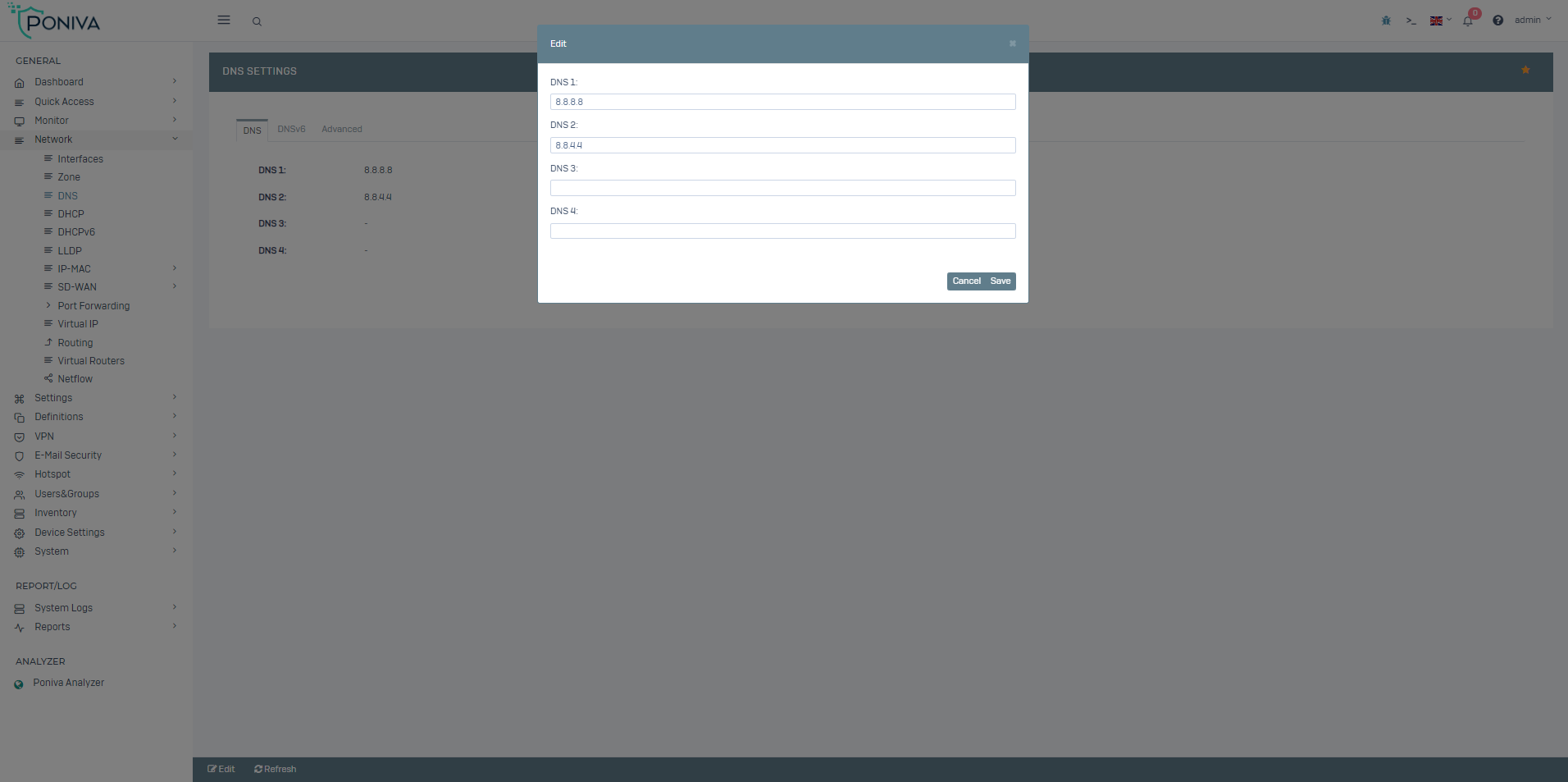
· You can write Türk Telekom servers (195.175.39.39,195175.39.40), your modem or a different DNS server in the DNS servers section. (For example; 8.8.8.8 / 8.8.4.4)
Our DNS settings are complete.
We start configuring the Routing settings by clicking the Network -> Routing menu.
· Here, the Default value should be a modem/Router or PPPOE gateway IP address.
Our forwarding settings are complete.
If there is no problem in our definitions, after restarting the device, the firewall's internet will be active.
Now we can access the interface by typing our new IP address (https://192.168.1.1:8401 or http://192.168.1.1:8400)