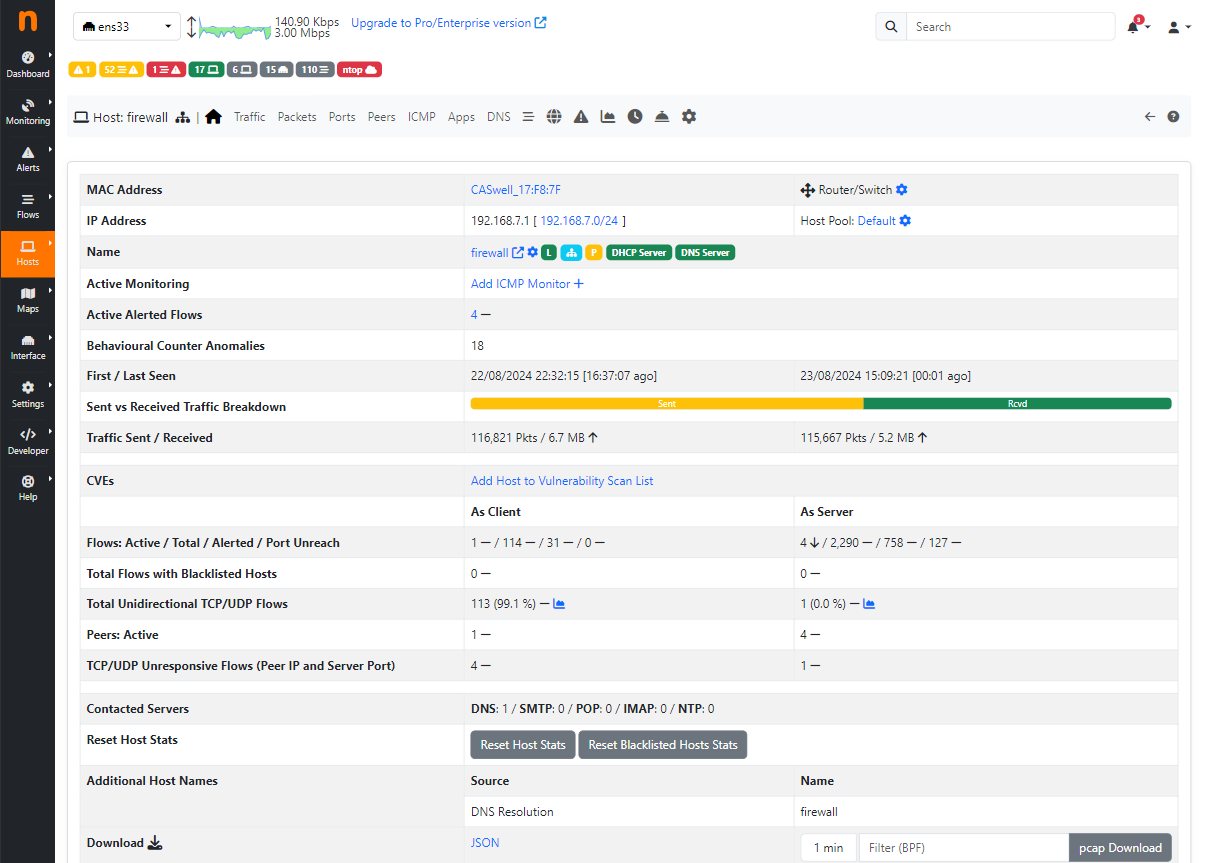
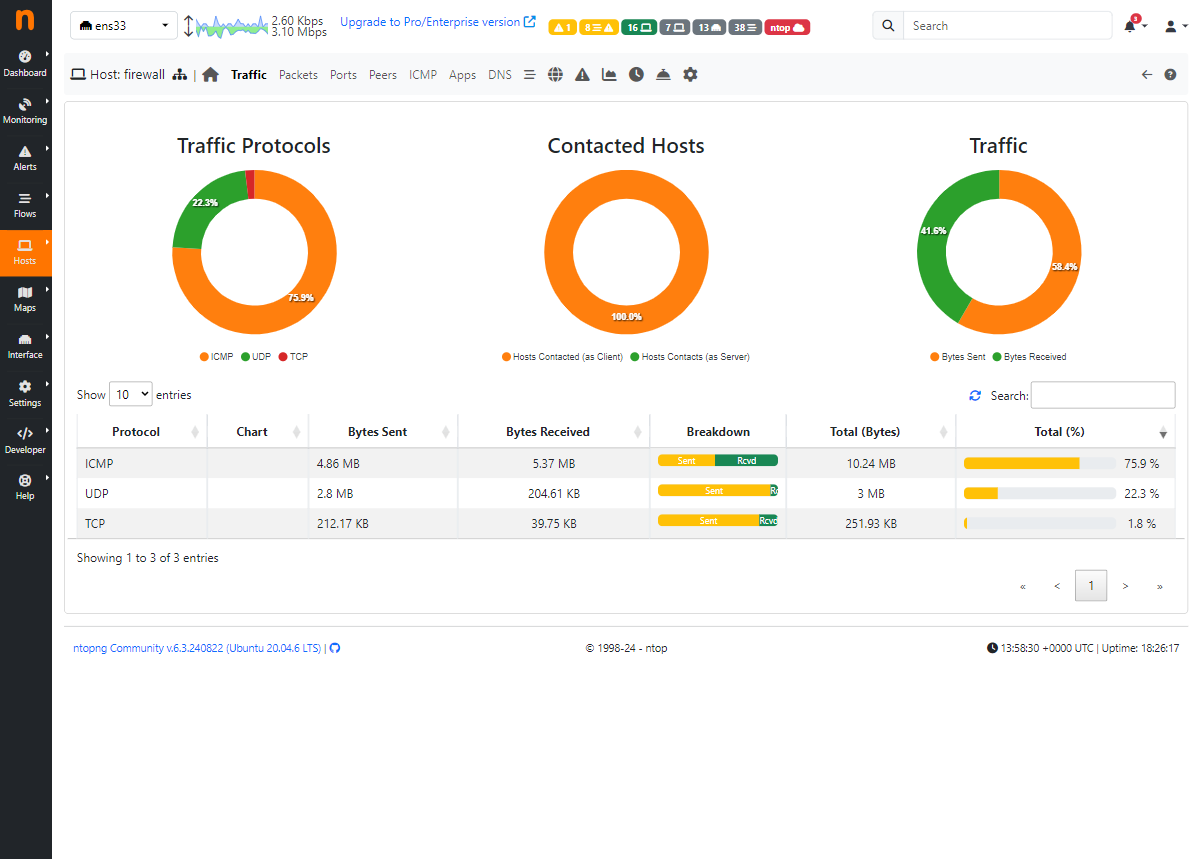
NetFlow is a feature that provides the ability to collect, record, and monitor network traffic for all IP traffic to and from network interfaces. Netflow provides information about network users, network applications, and routing traffic.
NetFlow works stateful and monitors and reports all IP communications over an interface.
For example configuration;
Netflow Server IP: 192.168.7.50 is assumed.
For Netflow configuration on the Poniva interface, click on the Network->Netflow menu.
Click on the Add option.
On the screen that opens, Description, IP Address (Netflow Server IP), Port, Interface fields are filled.
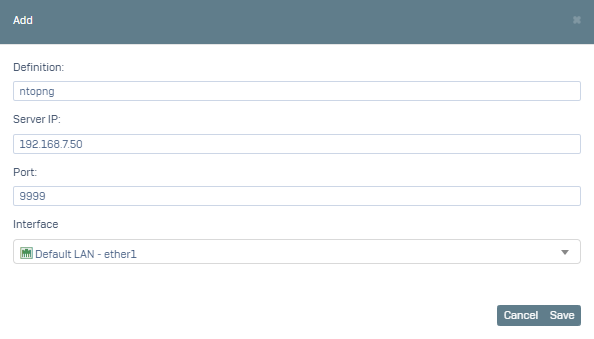
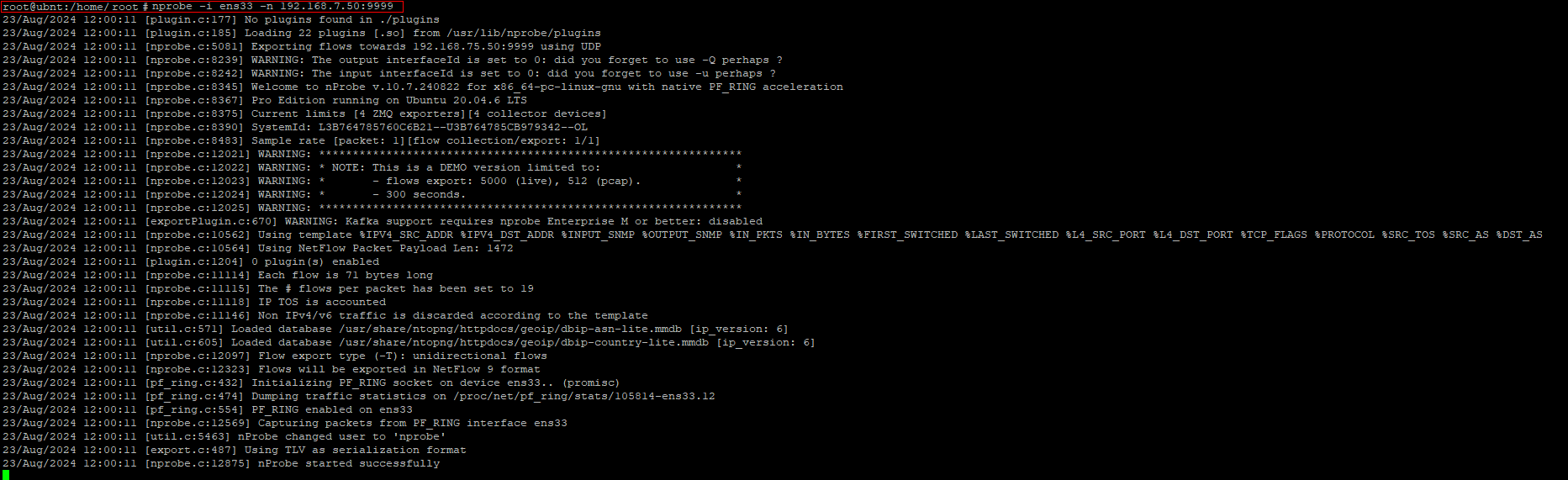
After saying Save, we run the following command on our server.
nprobe -i ens33 -n 192.168.7.50:9999
Then we go to http://192.168.7.50:3000. You can review the information about your network on the screen that opens.