
Multi-factor authentication (MFA) is a security measure that enhances protection by requiring users to use multiple authentication methods to access an application, account, or virtual private network (VPN). This method provides an additional security layer against the risk of credentials being stolen, exposed, or misused by malicious actors.
To integrate SMS, click on Device Settings → MFA Profile in the interface.
On the opened screen, MFA Profile and Google/Microsoft Authentication (QR Code) appear as the default options.
To add a new MFA profile, click Add.
In the opened screen, you can choose Description and the provider as SMS or Email. If you select SMS as the provider, in the Type field you can choose your SMS provider (Undefined, Verimor, Teknomart, Posta Güvercini, NetGsm, JetSms). If you select Undefined, you must enter the API Address, Username, and Password information. For other options, there is no need to enter the API Address. For some SMS providers, the Sender ID (Title) field may be mandatory.
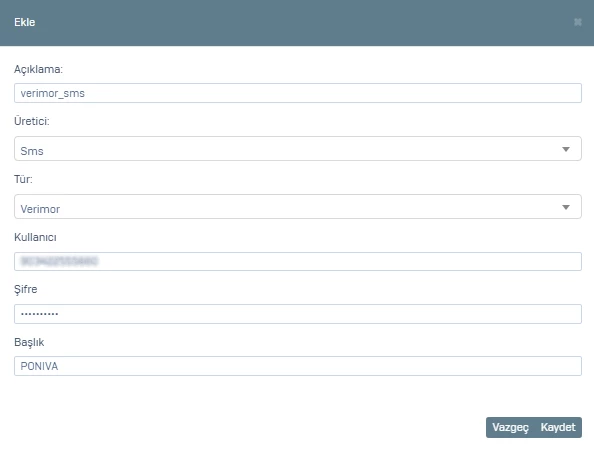
Click Save.
To activate the MFA profile you created here for Hotspot / Captive Portal:
Go to Hotspot → Settings → Enable SMS Authentication and select the MFA profile you added.