
When you activate the Hotspot Service, users who want to access the internet will see the Login screen. Users can access the internet after verifying their information.

In some cases, we may want certain users to access the internet directly without being shown the Hotspot Login screen.
For this, you need to define the MAC, IPv4 or IPv6 information of the relevant user device.
Click on the Hotspot->Privileges menu on the interface screen.
Click on the Add option.
On the screen that opens, fill in the Description field.
Here you can define privileges for your users as MAC / IPv4 / IPv6 (You must fill in at least 1 option). For example, we define a MAC address.
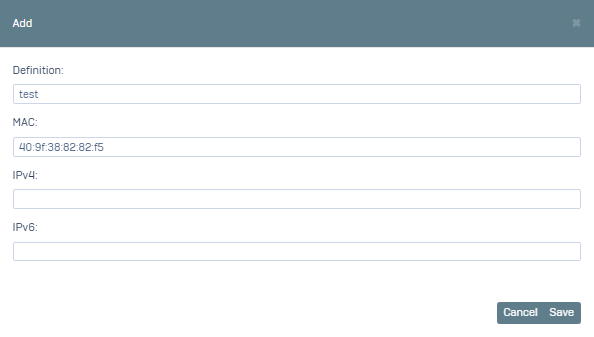
You can test it by clicked Save.