
Go to Settings->Group Management tab in Poniva Firewall menu.
To create a new group, click the Add button at the bottom of the tab.
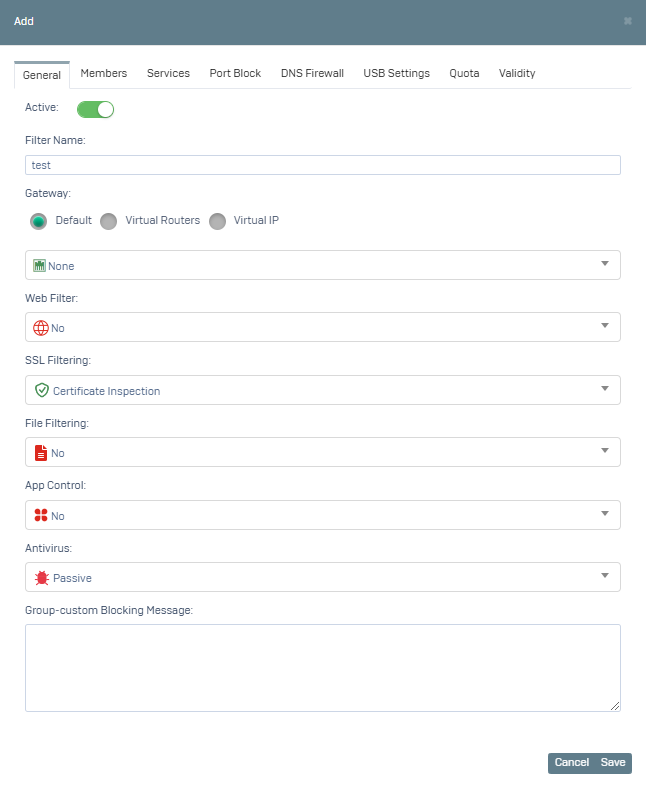
Fill in the relevant fields here. SSL filtering default Certificate Inspection is selected.
You can create a new Web Filter definition or select an existing Web filter definition by clicking on Web Filtering.
If you click to add a new Web Filtering definition, a new window opens.
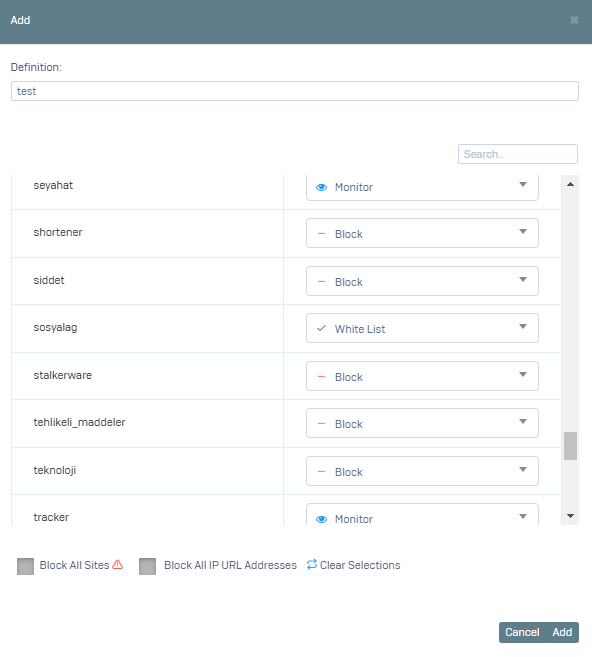
In the window that opens, enter a Description and select the relevant categories as Block or Whitelist and click on the Add button.
This step completes the configuration of General Settings and click on the Members tab.
In the tab that opens, the user filtering type can be IP based or Active Directory. If the existing user is not in the list, a new definition can be made by clicking the Add icon next to Group Members.
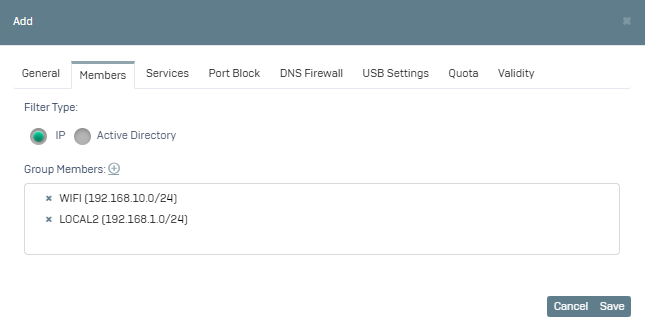
Click the Save button and the new group definition is applied.
Here Default group is a default definition. And Default rules apply for users who are not in any group.