
To configure the antivirus general settings, click on the Device Settings->Antivirus menu.
Click on the Edit option.
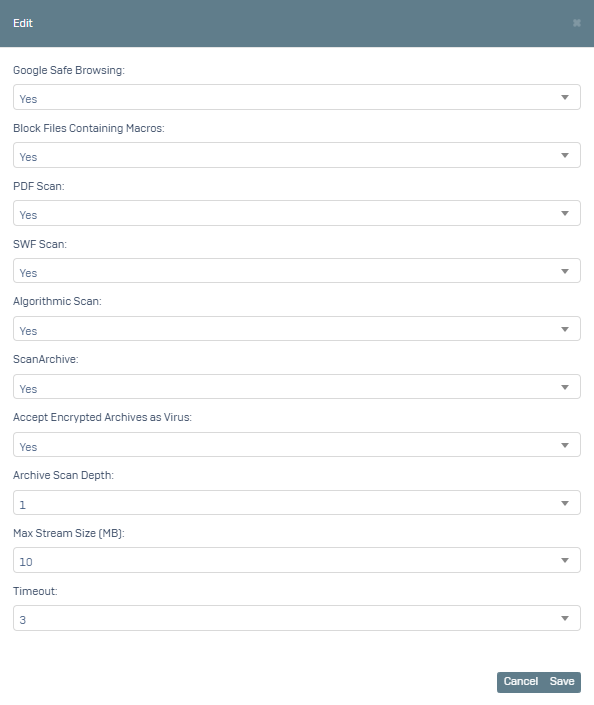
You can adjust the options on the screen according to your preferences.
Google Safe Browsing: When this option is activated, it protects the user against known malicious websites.
Block Files Containing Macros: When this option is enabled, files containing macros are prevented from opening. Macros are small programs that can contain malware, especially in Microsoft Office files.
Scan PDF: When this option is enabled, PDF files are scanned for malware.
Scan SWF: When this option is enabled, SWF files (Adobe Flash format files) are scanned for malware.
Algorithmic Scan: When this option is enabled, files are scanned for malware using advanced algorithms. This option provides a more in-depth examination than typical scanning methods.
ScanArchive: When this option is enabled, the contents of archive files (for example, ZIP or RAR files) are scanned.
Treat Encrypted Archives as Virus: When this option is enabled, encrypted archive files are automatically considered malicious because the contents of encrypted archives cannot be scanned.
Archive Scanning Depth: This option determines how many layers deep the archives will be scanned. For example, if a ZIP file contains another ZIP file and this value is set to 1, only the outer ZIP file is scanned.
Max Stream Size (MB): This option determines the maximum data size to be scanned during stream scanning. This value is in MB.
Timeout: This option specifies the timeout period of the scanning process in seconds. If the scan is not completed within this time, the operation is cancelled.
In order to activate the configuration we have created here in our groups, we first need to activate the Antivirus service.
Click on the Device Settings->Device Management menu.
On the screen that opens, click on the SERVICES field.
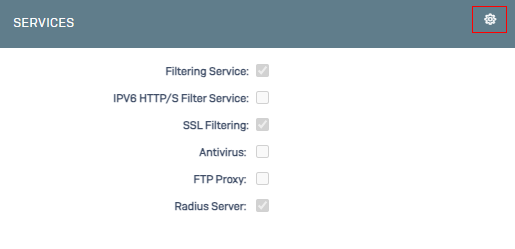
On the screen that opens, we activate the Antivirus option.
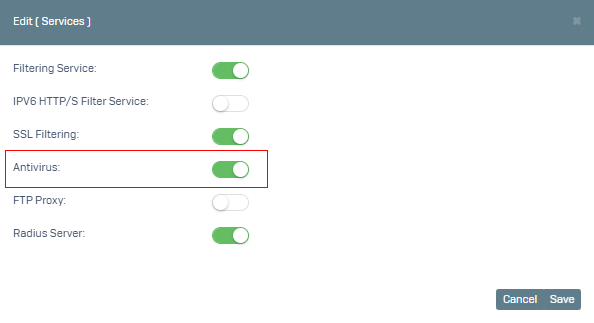
After clicked Save, we can now activate the antivirus option in group management.
We go to the Settings->Group Management menu.
Click on the Default group (you can define different groups) and select the Antivirus option Active.
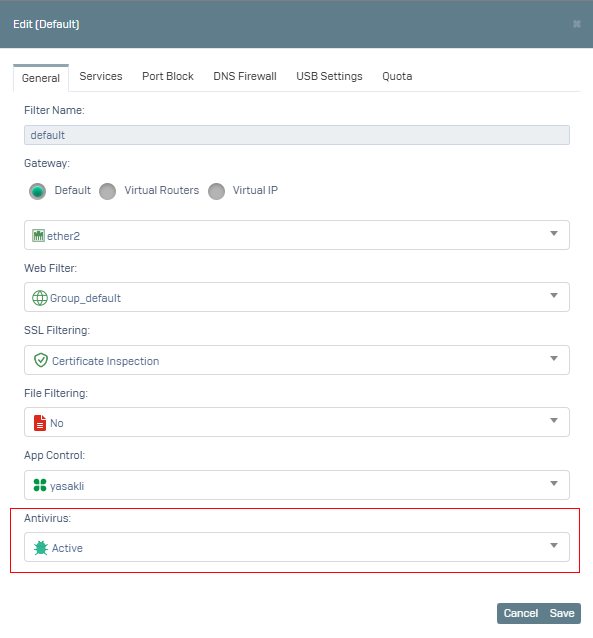
You can test it by clicked Save.