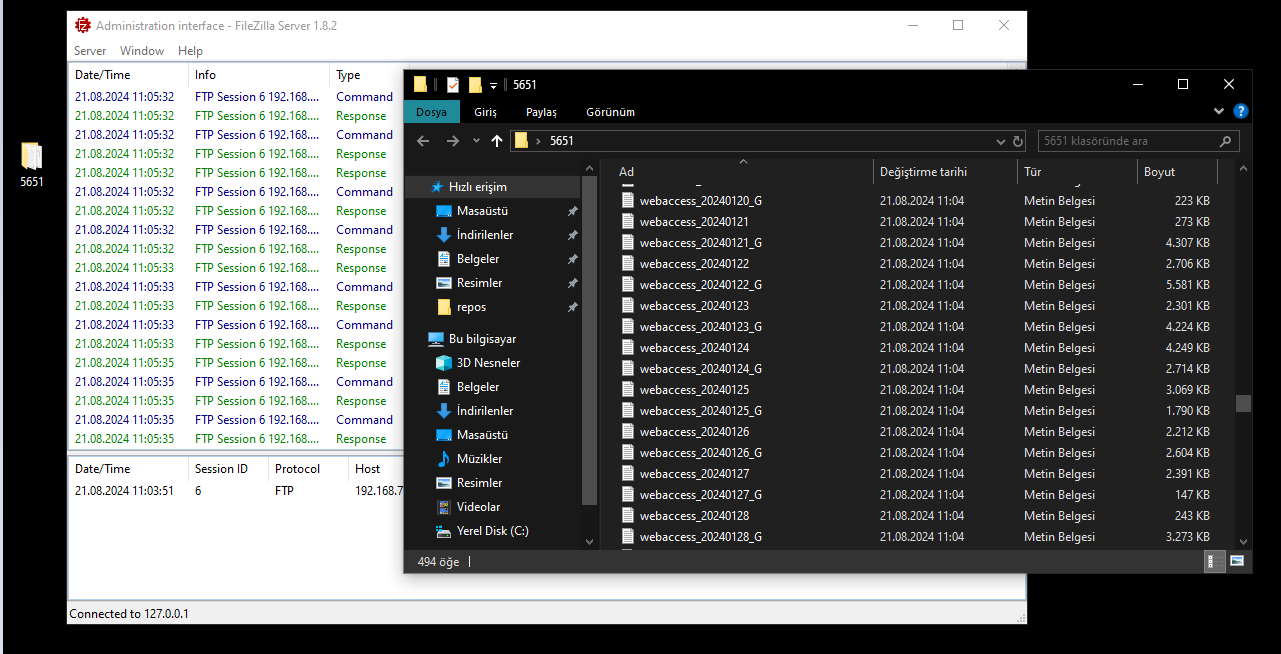
You can automatically transfer your logs to your desired FTP server at the time you specify.
First of all, we create a new folder called 5651.
Here we will configure with FileZilla as an example. We open the FileZilla application.
Click Server->Configure at the top left.
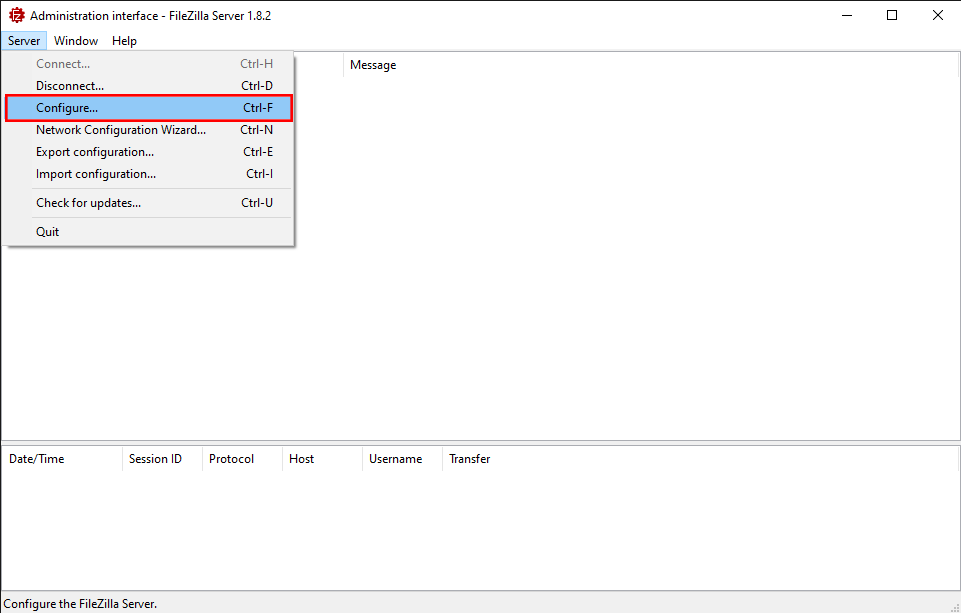
On the screen that opens, click on Rights management->Users on the left side.
Here we click Add and create a new user. We configure the relevant fields on the General tab for the user we created. In the Native path field, we write the directory of the folder we created.
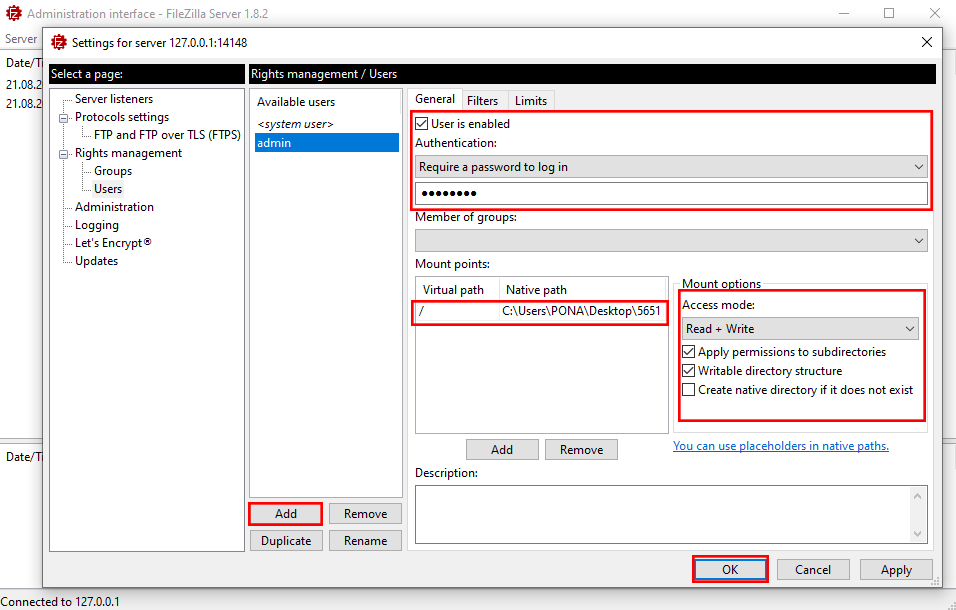
After clicked OK, click on the System Records->Log Transfer->FTP Transfer menu in the Poniva interface for other configurations.
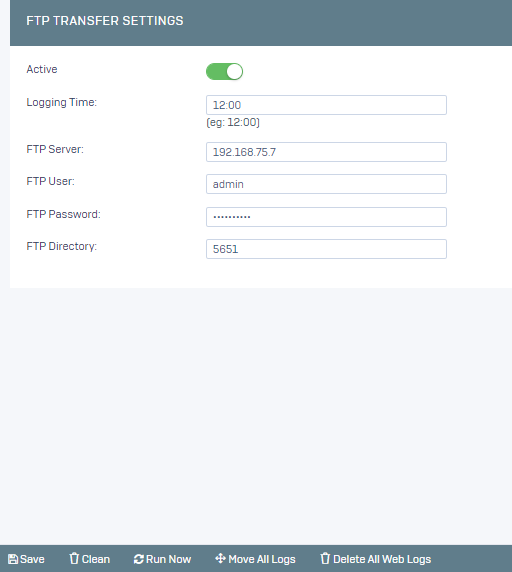
We activate the service,
Logging Time: The time when the records will be transferred,
FTP Server: FTP Server IP address,
FTP User: FTP User Name,
FTP Password: FTP Password,
FTP Directory: The directory of the created folder,
and then save it.
Your logs will be automatically transferred to your FTP server at the time you specify.
If you wish, you can transfer your existing logs by clicking the Move All Logs button.