
Click Settings->Group Management menu in the Poniva Firewall menu.
Click on the Default group on the screen that opens. (You can edit in your different groups.)
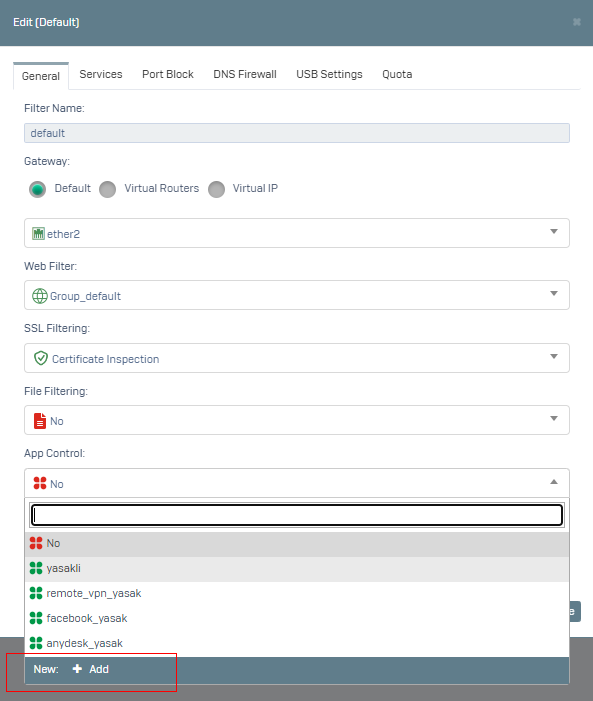
Here, a new Application Control definition is created by clicking on Application Control in the ‘General’ tab.
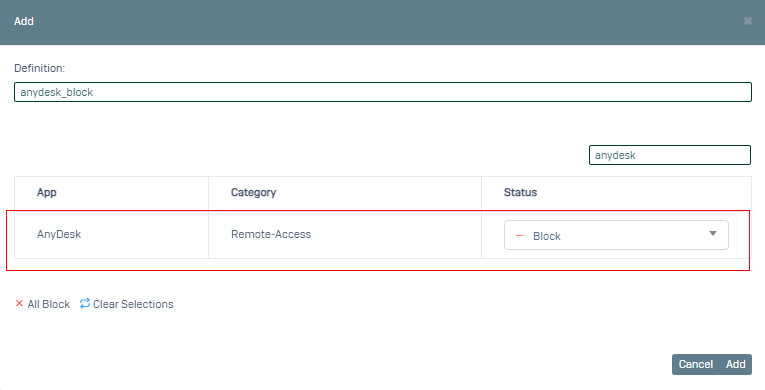
Enter the description and type anydesk in the search field, select Anydesk Banned and click the Add button.
The definition we just made is selected in the Application Control section.
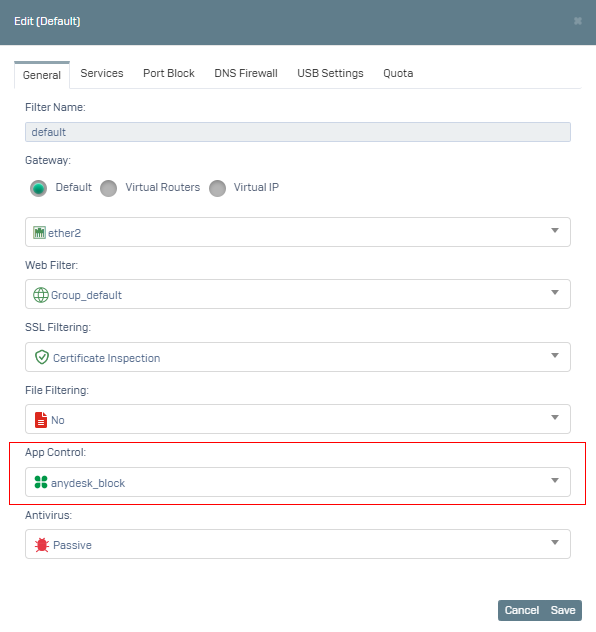
Click the Save button and it is applied.
Now access to Anydesk is blocked for your default group.