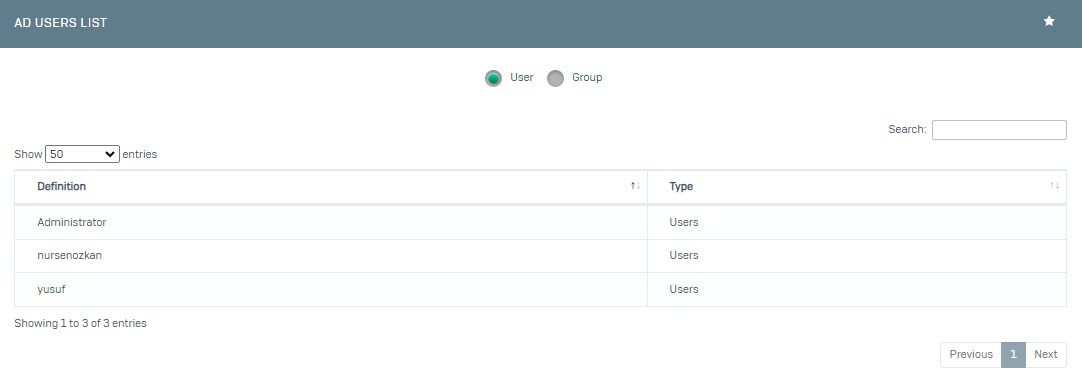
You can easily integrate your Active Directory users with Poniva and use it for Firewall Rules, Group Management and SSL VPN.
We go to your server at https://www.pona.com.tr/download/ and click on the Poniva SSO tab. Download the application here.
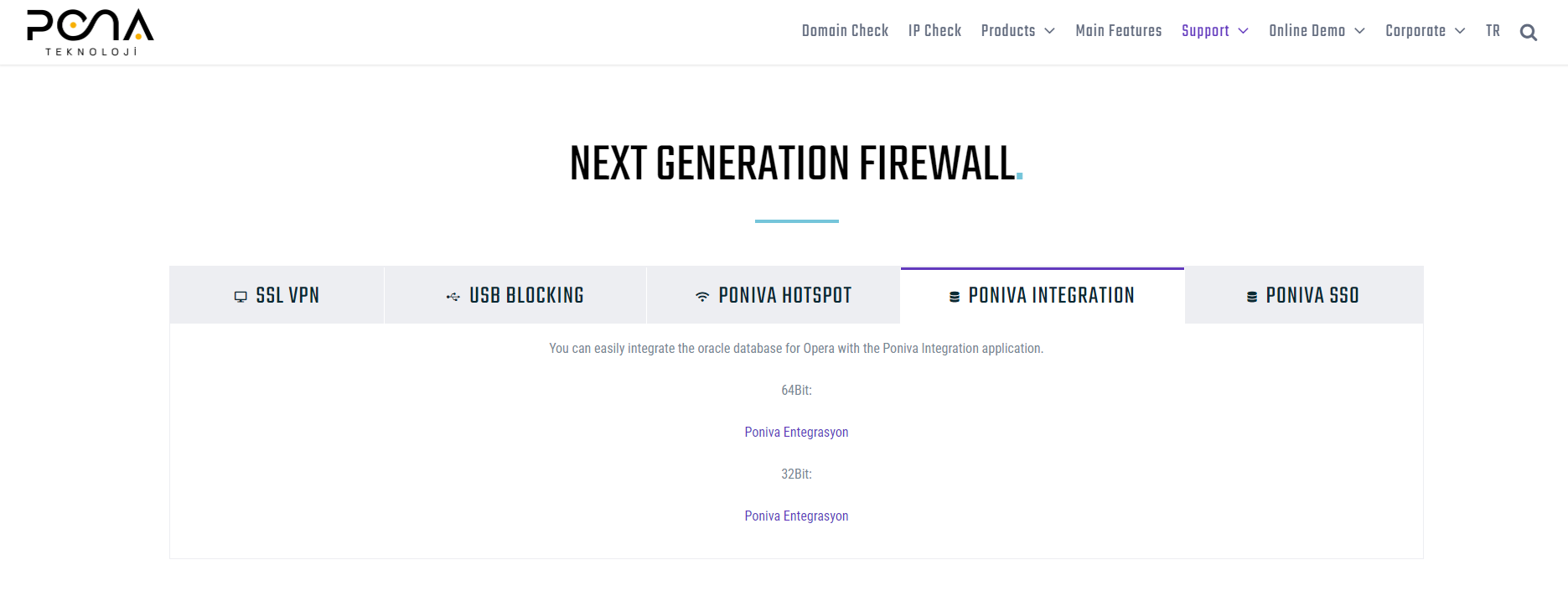
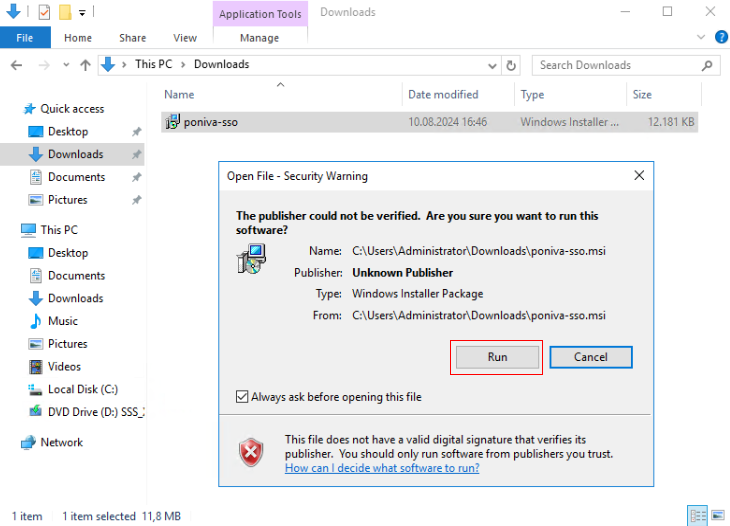
We install the application we downloaded.
After the installation is complete, we go to the directory where the application is installed and run the Poniva SSO Settings application.
Server (Server IP address), Domain (Active Directory Domain), SSO Access Port (from which port Poniva will access your server) fields on the application screen are filled. We copy the API Key here and then we will use it in the relevant field in the Poniva interface.
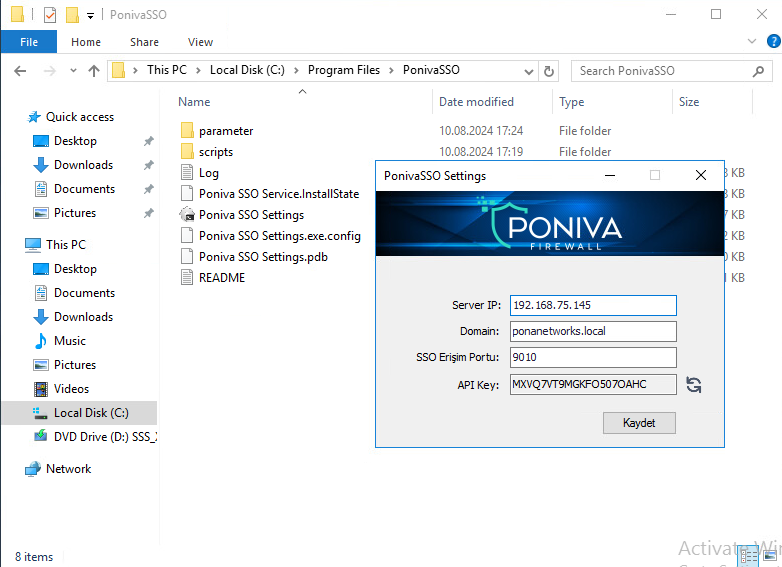
After saying Save, click on the Device Settings->Active Directory menu on the Firewall Interface screen.
On the screen that opens, the Service is activated, Server IP, DN, AD Domain, SSO Access Port, API Key (we paste the API Key we copied above here), Update Interval (we specify how often to update) fields are filled.
The information here must be the same as the information on the server side.
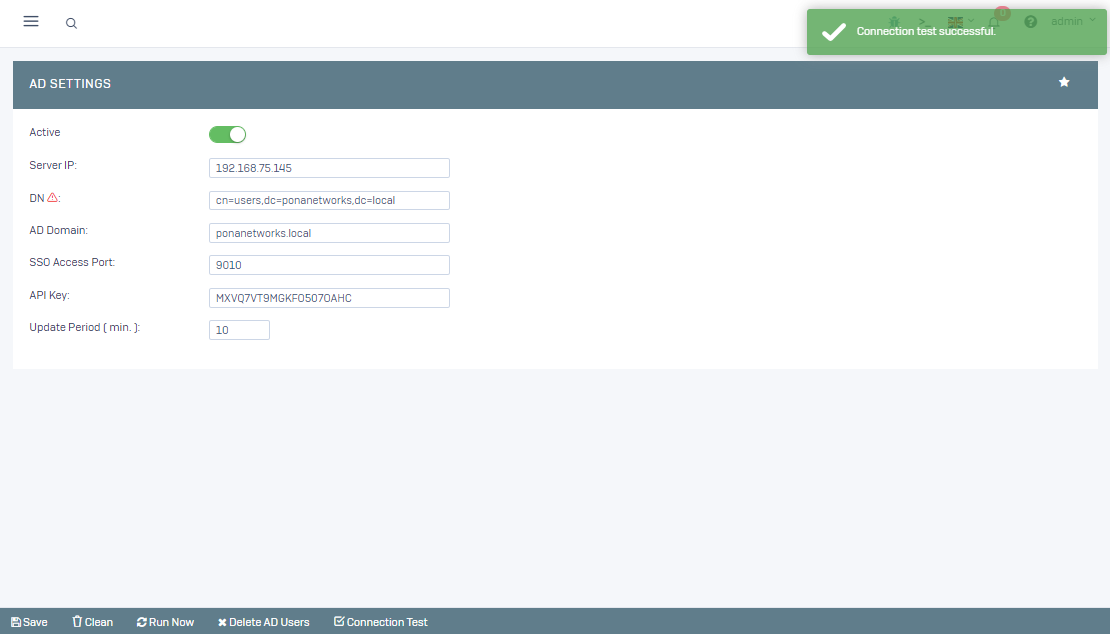
After clicking Save, you can test your connection by clicking the Connection Test button.
If the connection test is successful, click the Run Now button.
Then you can view your existing users by going to the Definitions->Active Directory Users menu.